v0.1.0 · Source Available (BSL 1.1)
This is an early release. Some features are not fully tested yet. Feedback and feature requests are welcome on GitHub Issues!

SerialRUN

Professional Serial Port Debugging Assistant

All-in-one tool for serial communication, Modbus debugging, PLC control, CAN bus analysis, I2C/SPI, firmware flashing β€” with built-in MCP server for AI integration.

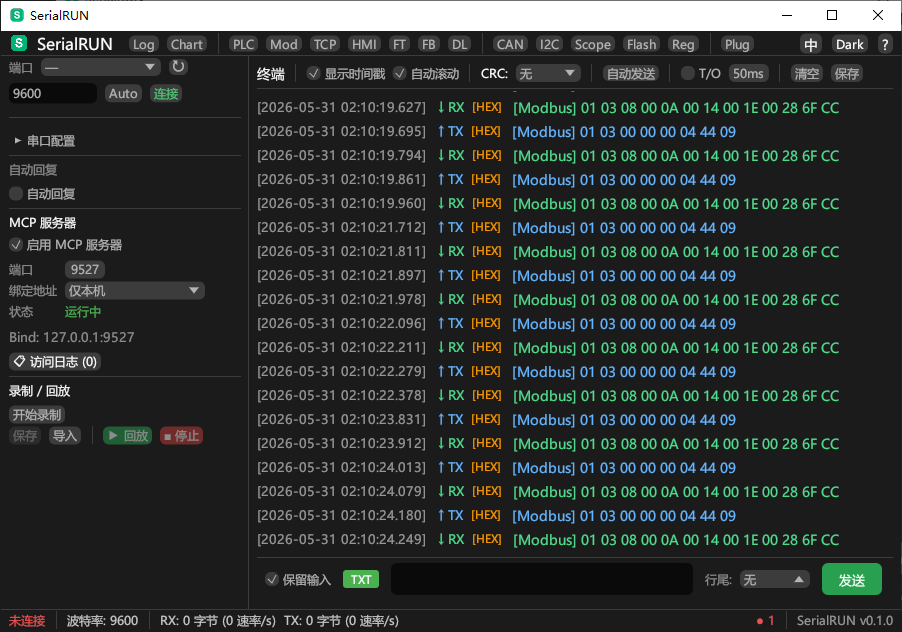
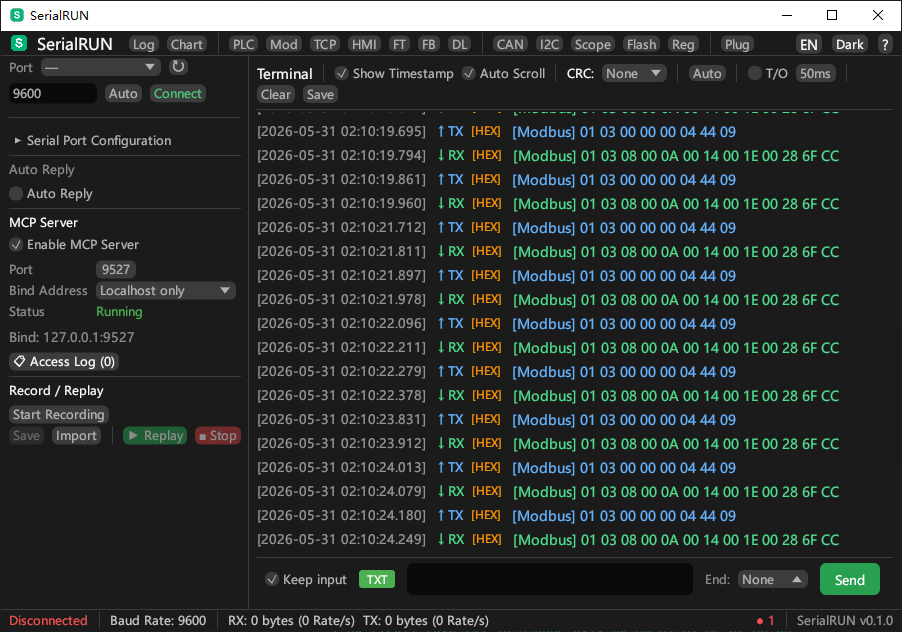
SerialRUN English Screenshot

Everything you need for serial debugging

From simple AT command testing to complex Modbus/PLC protocol analysis

πŸ“‘

Serial Communication

TX/RX with HEX/TEXT mode, timestamps, CRC checksums, auto-send, DTR/RTS control. Supports 300-921600 baud rates.

🏭

Modbus Debug

Quick register read/write, 8 function codes, configurable response timeout, register monitoring with auto-polling.

πŸ”§

PLC Control

Siemens, Mitsubishi, Delta, Omron presets. Batch register read, inline editing, real-time data freshness indicators.

🌐

TCP/RTU Bridge

Bridge Modbus TCP clients to serial RTU devices. Connect SCADA/HMI software to your serial devices over network.

πŸ€–

MCP Server

Built-in Model Context Protocol server. Let AI assistants control your serial devices via TCP. 15 tools available.

πŸ”Œ

I2C/SPI & CAN

Scan and read/write I2C/SPI devices. CAN bus frame capture and analysis with SLCAN protocol support.

πŸ“Š

Data Visualization

Real-time data rate charts, oscilloscope waveform display, data logging to CSV with timestamps.

πŸ’Ύ

Firmware Flash

STM32 ISP and ESP32 serial flashing. XMODEM/YMODEM/ZMODEM file transfer with progress tracking.

AI-Powered

MCP Server for AI Integration

SerialRUN includes a built-in MCP (Model Context Protocol) server that allows AI assistants to remotely control your serial devices.

  • 14 built-in tools: connect, send, read, modbus_read, modbus_write, plc_read, plc_write, and more
  • Real-time TX/RX monitoring by AI assistants
  • Support for local and LAN connections
  • Full access logging with client IP tracking
// Connect AI to your serial device
const client = new MCPClient("127.0.0.1", 9527);
await client.call("connect", { port: "COM4", baud_rate: 115200 });
const response = await client.call("send_command", { command: "AT+RST" });
AI Assistant
→ MCP Protocol →
SerialRUN
→ Serial Port →
MCU Device

Multi-Window Interface

All panels run as independent OS windows β€” drag, resize, and arrange freely

πŸ“

Independent Windows

Each panel (Modbus, PLC, Log, etc.) is a separate OS window that can be moved anywhere on screen.

πŸ”

Always On Top

Protocol panels stay above the main window β€” never lose your tools behind the terminal.

πŸ”„

Auto-Wrapping Toolbar

Terminal toolbar adapts to window size β€” controls wrap automatically, nothing gets clipped.

Download SerialRUN

Source available under BSL 1.1. Build from source for any platform.

Windows

Windows 10/11 (x64)

Download .zip

macOS

macOS 12+ (Apple Silicon / Intel)

Build from Source
Linux

Linux

x86_64 / aarch64

Build from Source

Build from source:

git clone https://github.com/YaoIsAI/SerialRUN.git
cd SerialRUN
cargo build --release

# Windows:  target/release/serialrun.exe
# macOS:    target/release/serialrun
# Linux:    target/release/serialrun

# macOS .app bundle:
make app

Requires Rust toolchain. See BUILD.md for details.

💬

Feature Requests & Bug Reports

Have an idea or found a bug? Open an issue on GitHub and let's make SerialRUN better together.

Open Issue
👥

Discussion & Feedback

Questions, suggestions, or just want to say hi? Start a discussion on GitHub.

Join Discussion

Buy the Author a Coffee

If SerialRUN helps your work, consider buying me a coffee.

WeChat Pay WeChat Pay